
The counter, the stock room and the credit book, all in one place
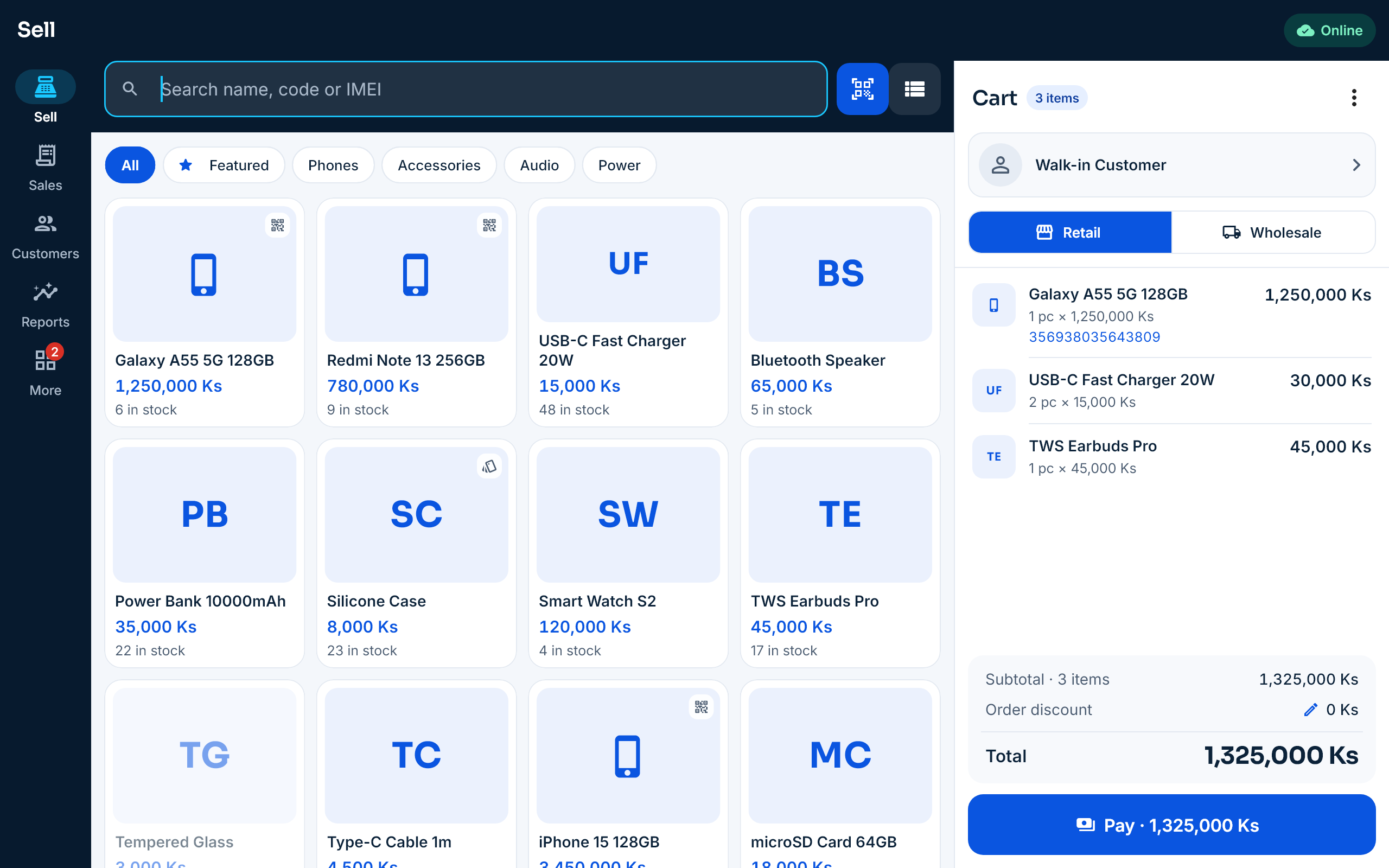
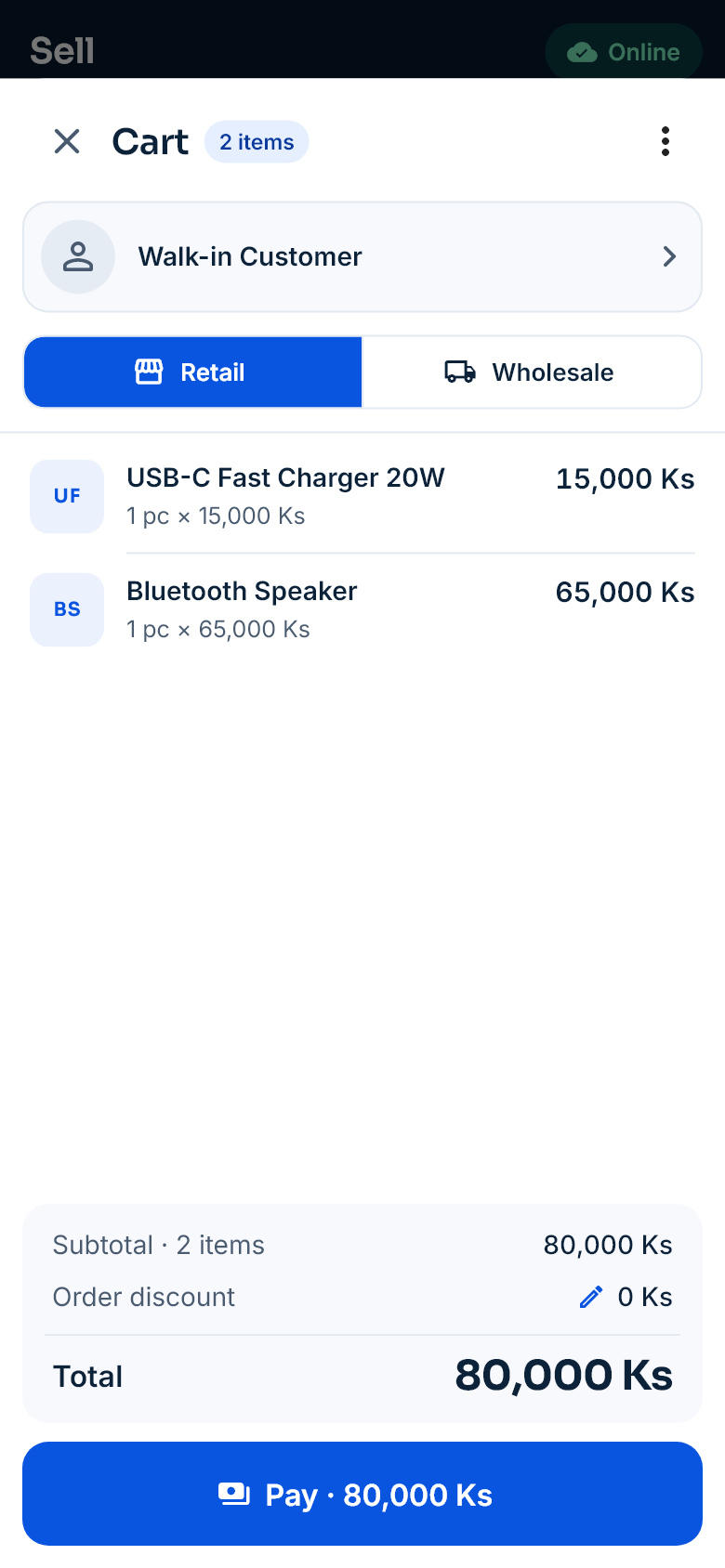
Sell on an Android phone, tablet or Sunmi device, and run stock, purchasing, accounts and reports from the web dashboard. Even without the internet, you keep selling.
Free for 14 days · no payment · your shop is ready in minutes
- Sells offline
- IMEI & serial numbers
- Batches and expiry dates
- Wholesale prices and credit
- Stock for every branch
- Barcode labels
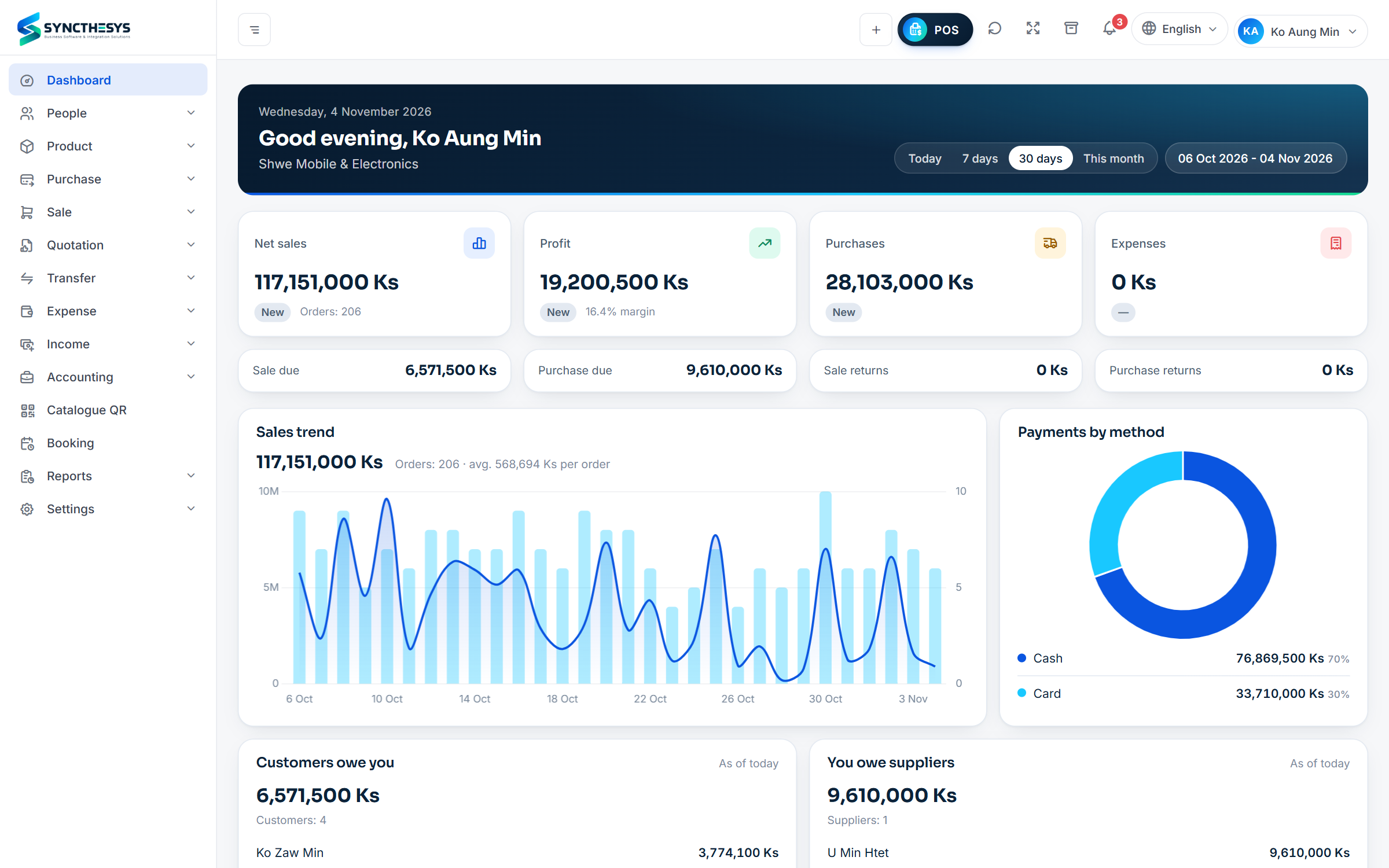
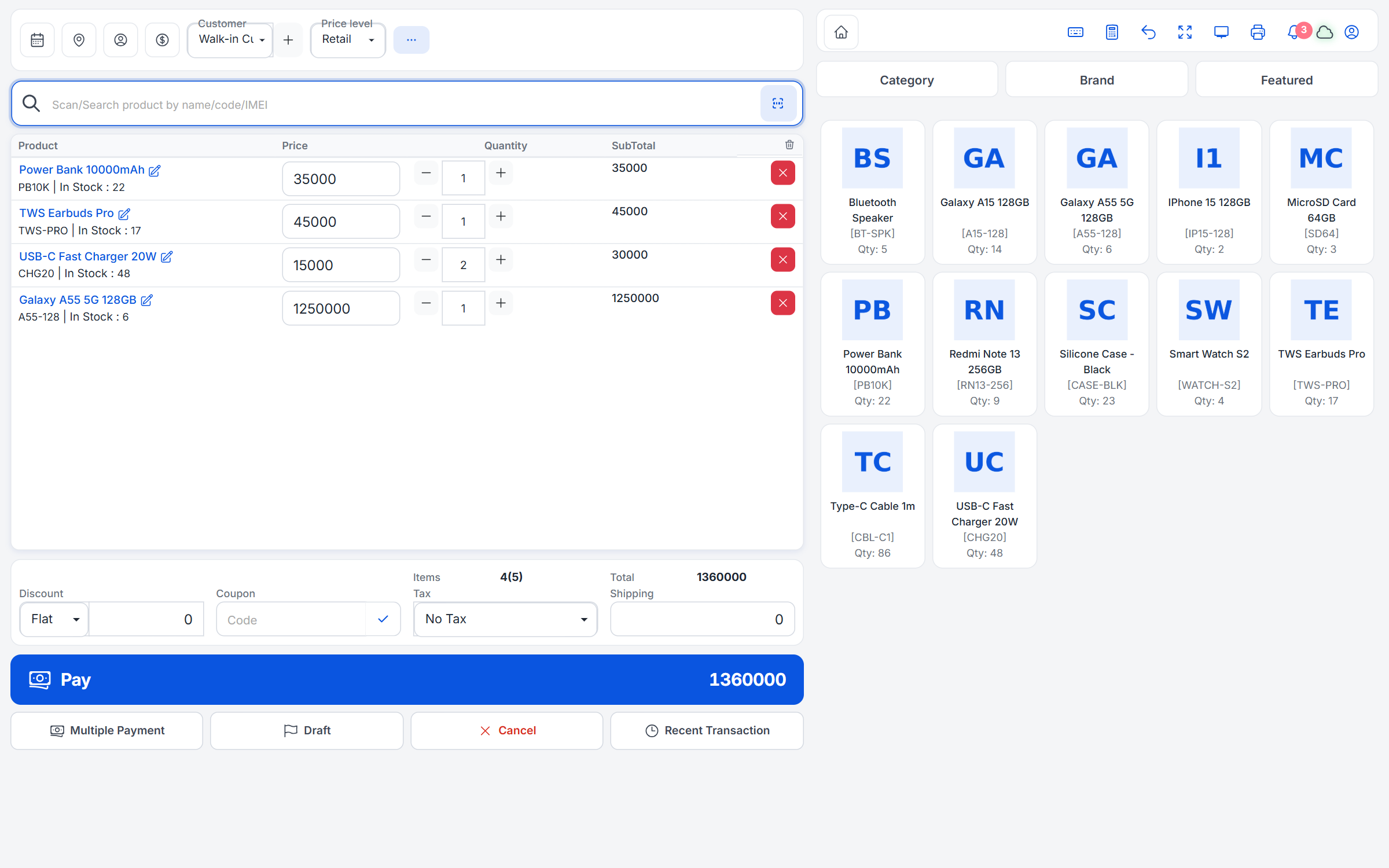
Run the whole business from the web
Sell at the counter in a browser, and manage stock, purchases, customers and profit from any computer. These are real screens, shown with a sample shop.
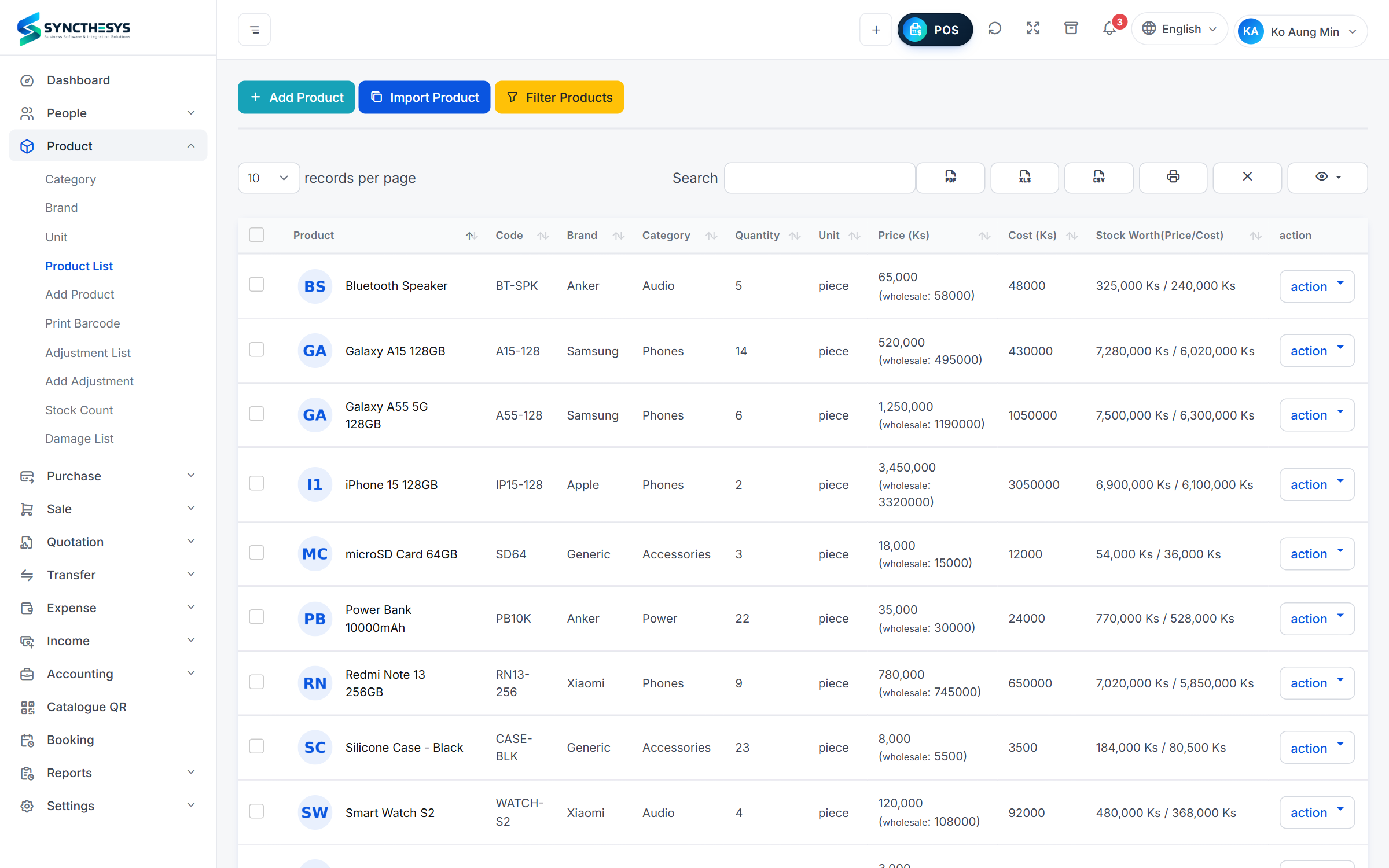
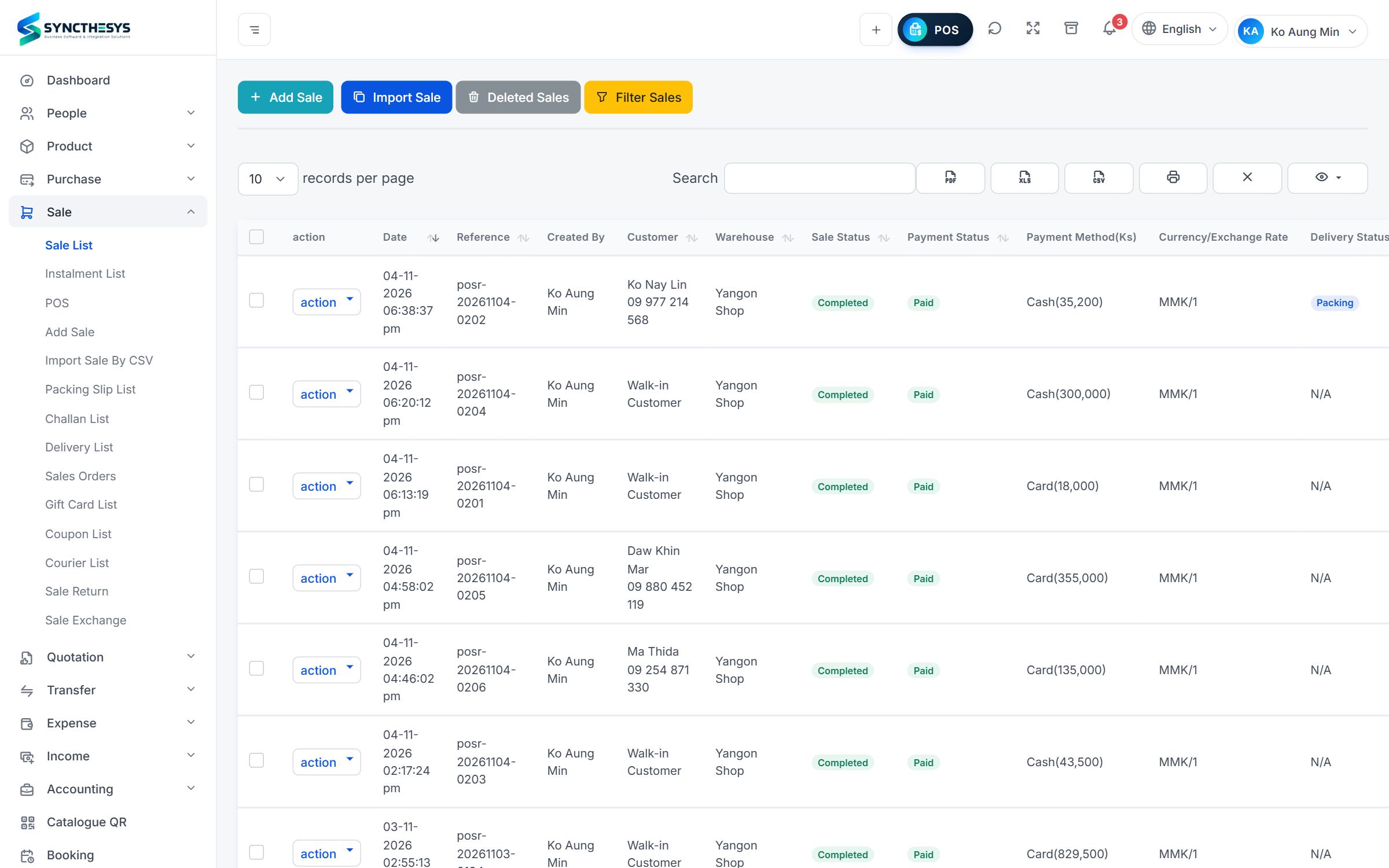
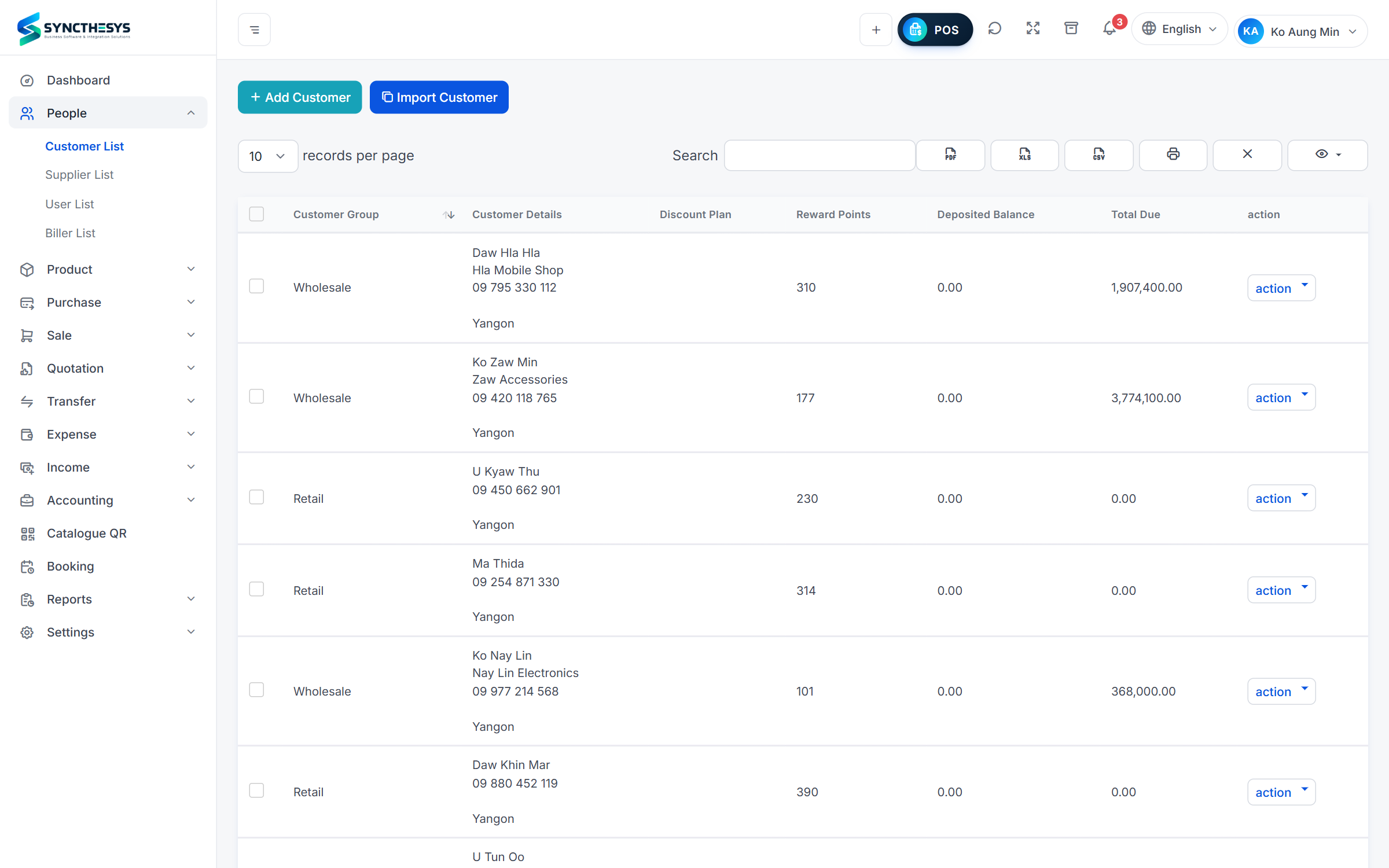
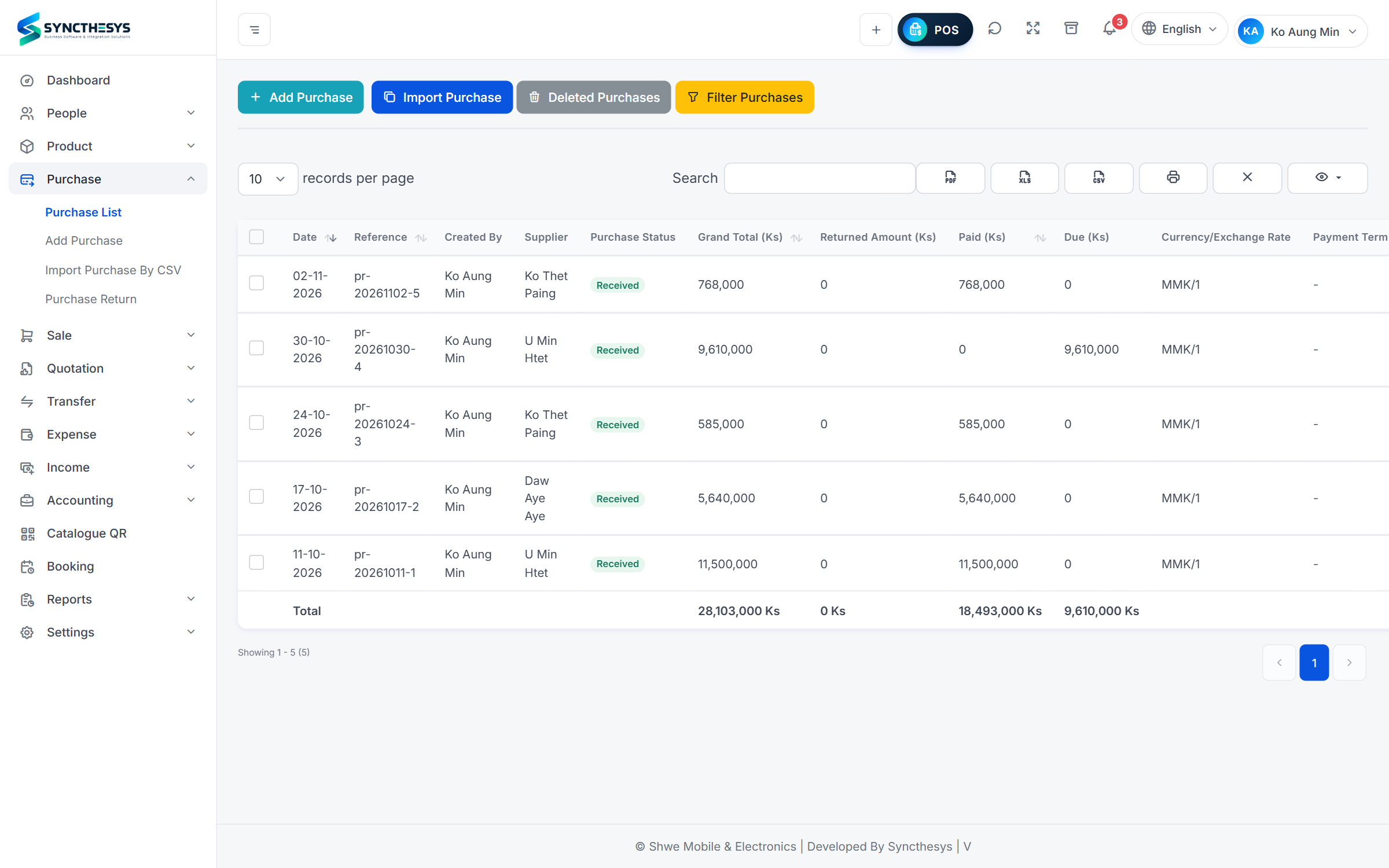
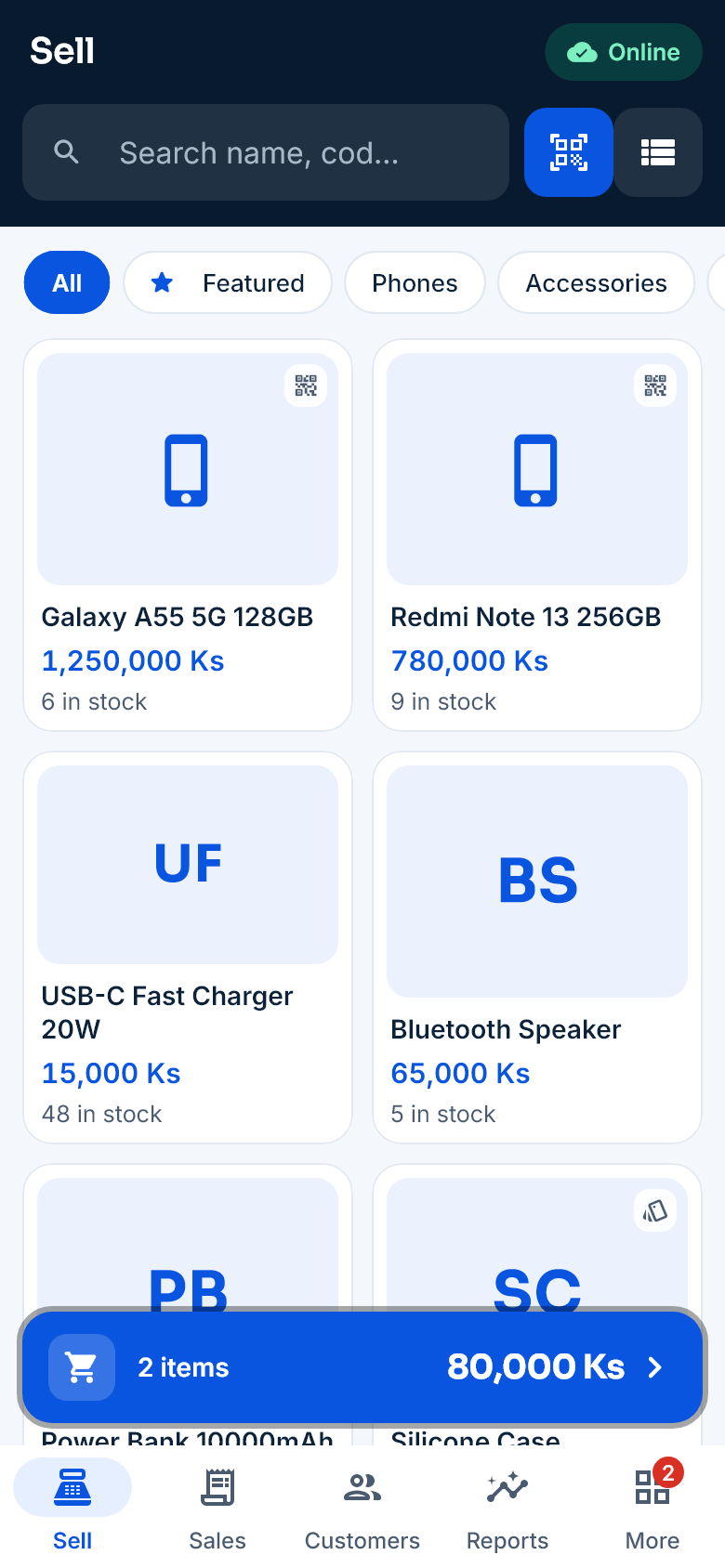
Search, scan, sell
Search by name or code, or scan with the camera or a barcode scanner. Pick the colour or size, the unit (box or piece) and the IMEI, and it’s in the cart.
- Park a cart and serve the next customer
- Save quotations and turn them into sales later
- An IMEI that is already sold cannot be sold again
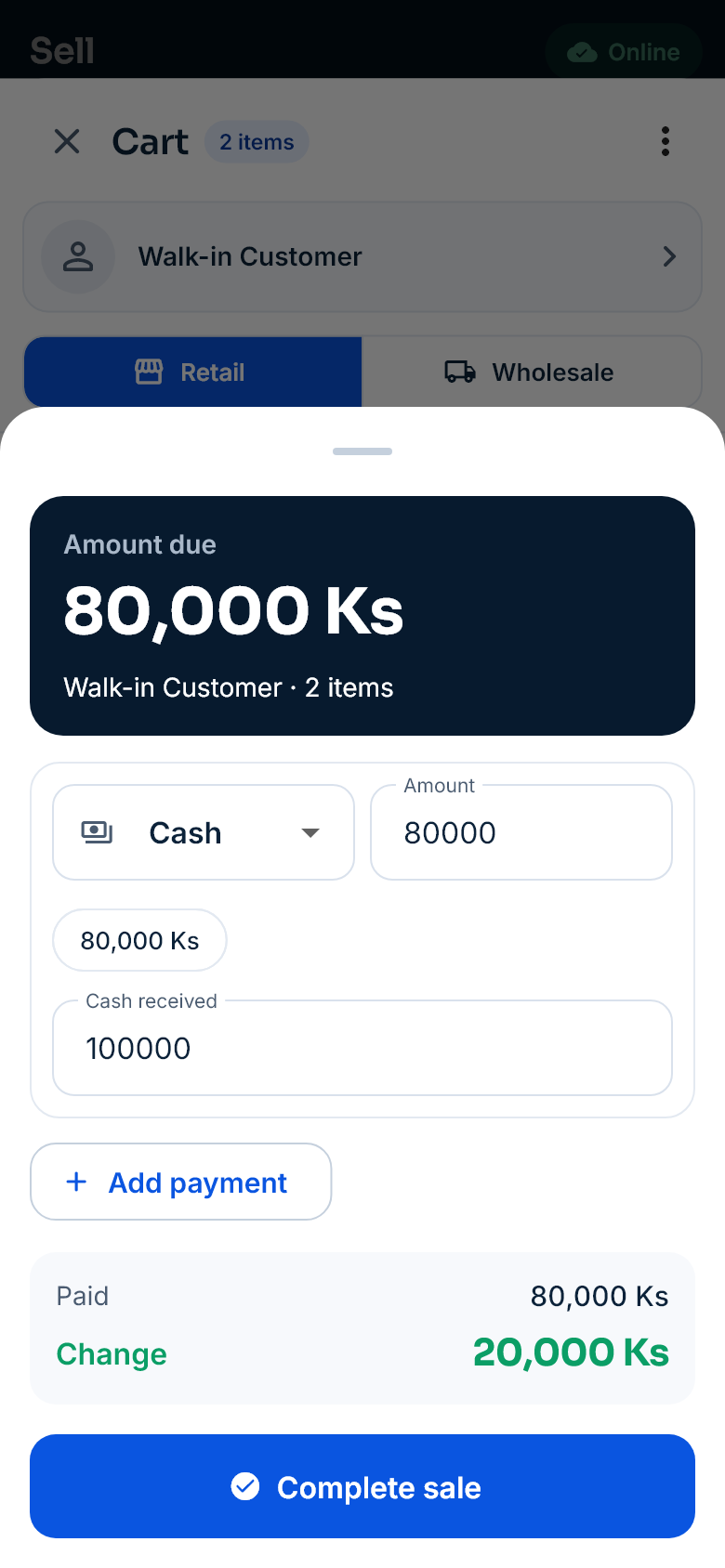
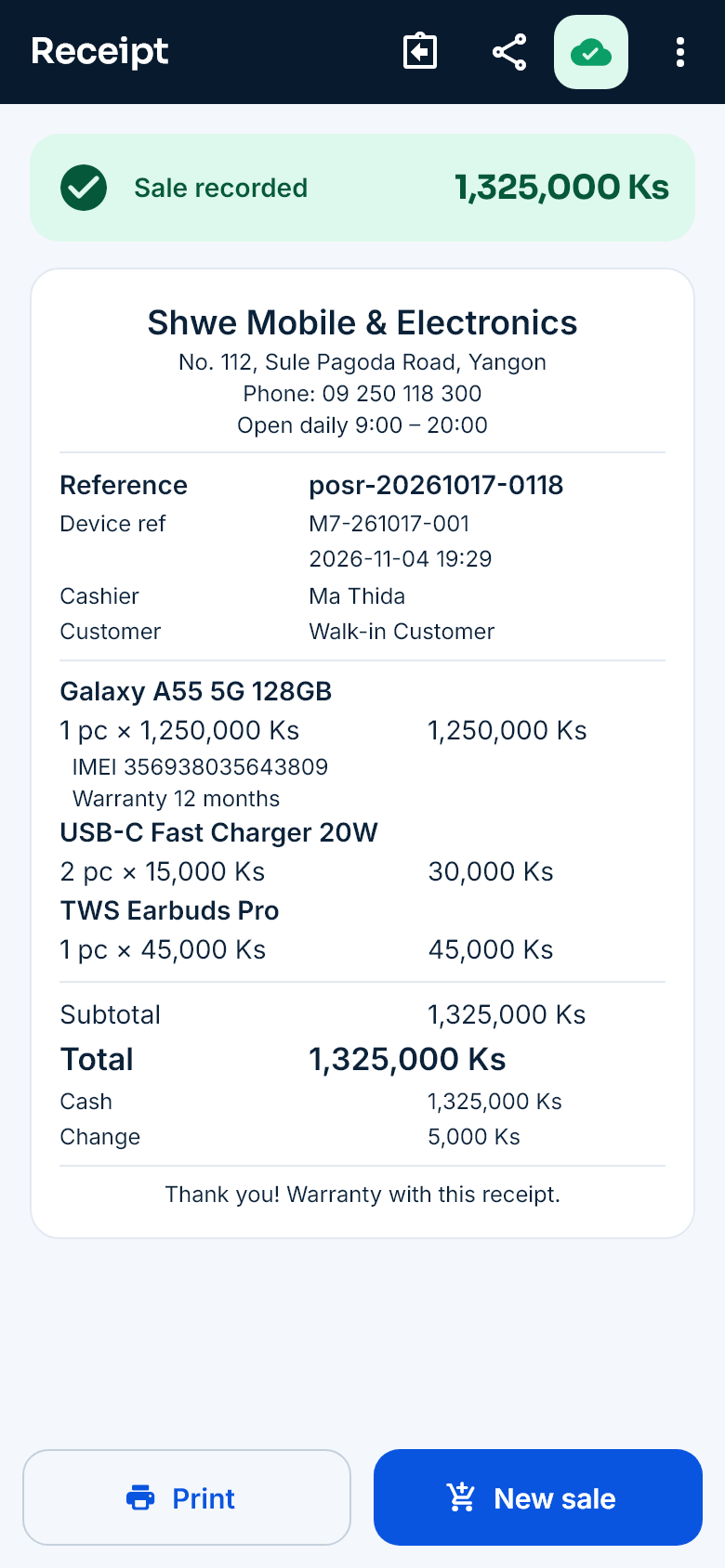
Take payment, print a Myanmar receipt
Cash, card, cheque and credit can be combined, and the change is worked out for you. Receipts are drawn as a picture before printing, so Myanmar and Chinese text comes out right.
- Bluetooth, Wi‑Fi and USB printers, and Sunmi devices
- Send the receipt to the customer as a picture
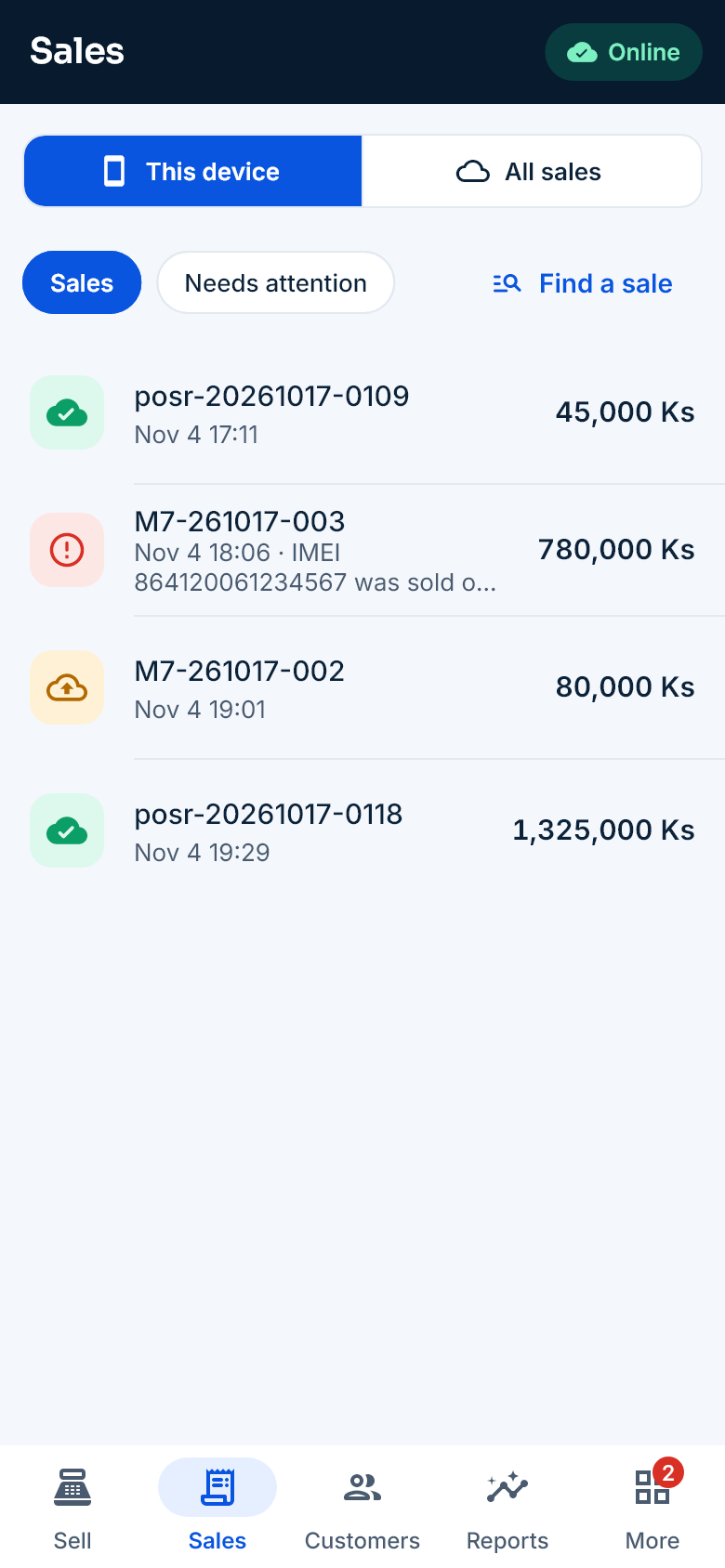
No internet? Keep selling
Products, stock, prices and customers are kept on the phone. Sales are saved on the phone first and sent automatically when the internet is back — recorded only once.
- Sent and waiting sales in one list
- Sales with a problem, such as not enough stock, are set aside to check
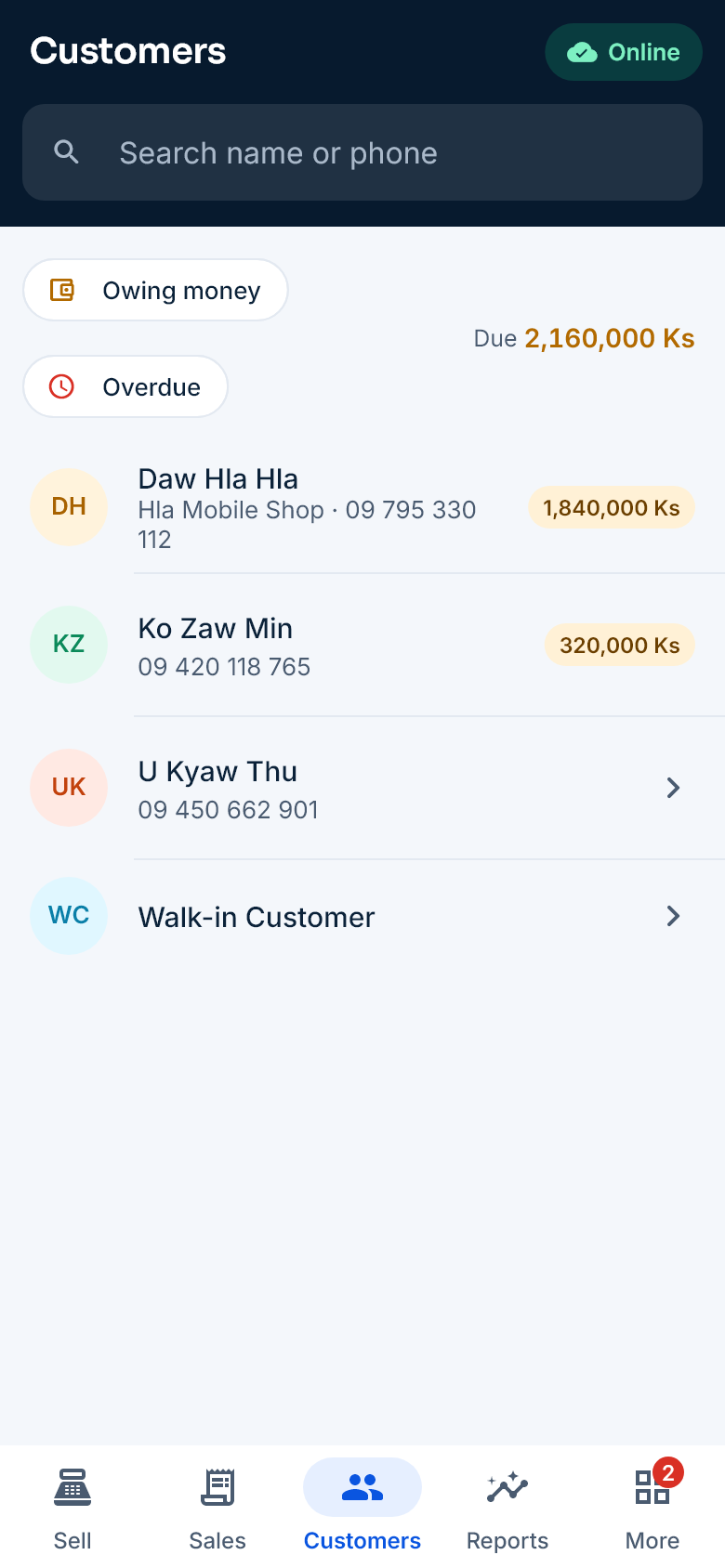
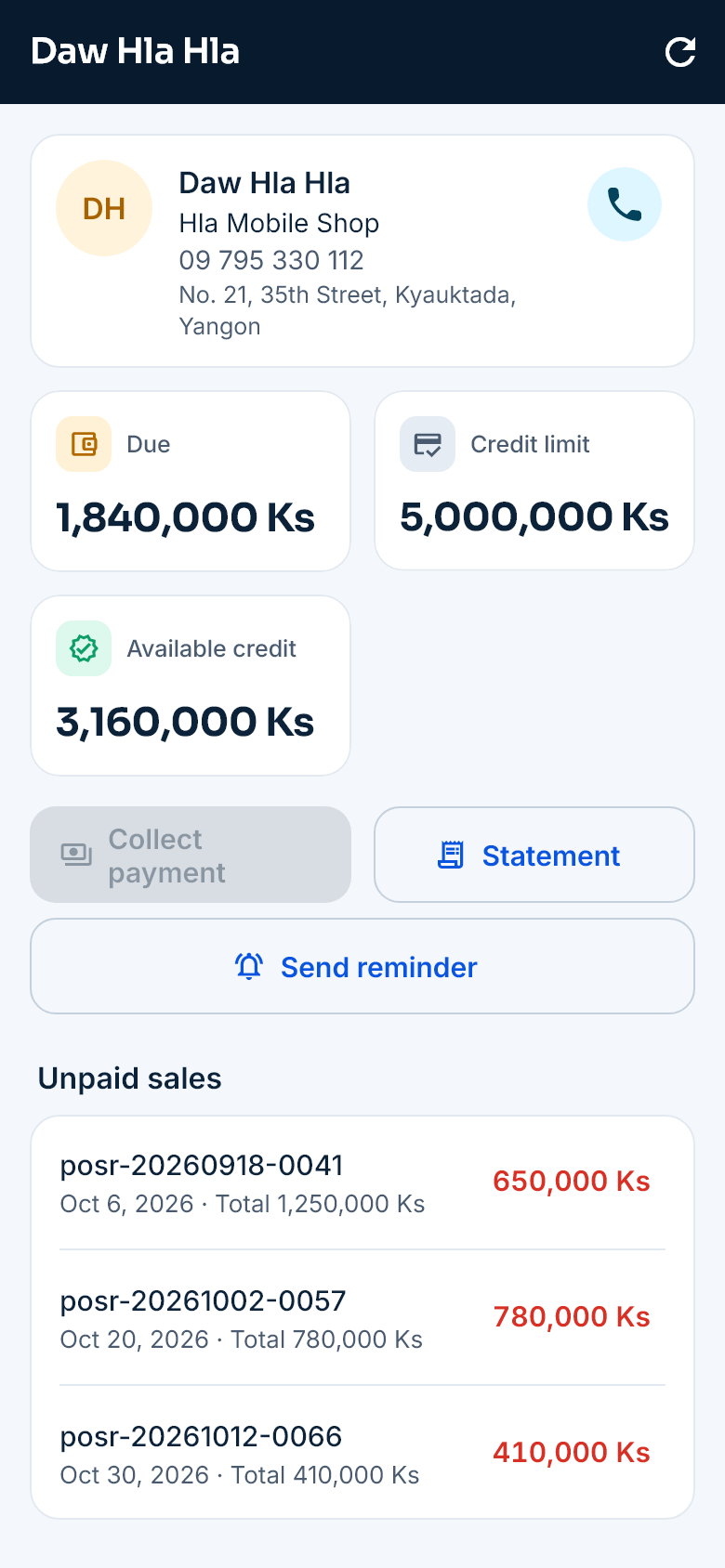
A clear credit book
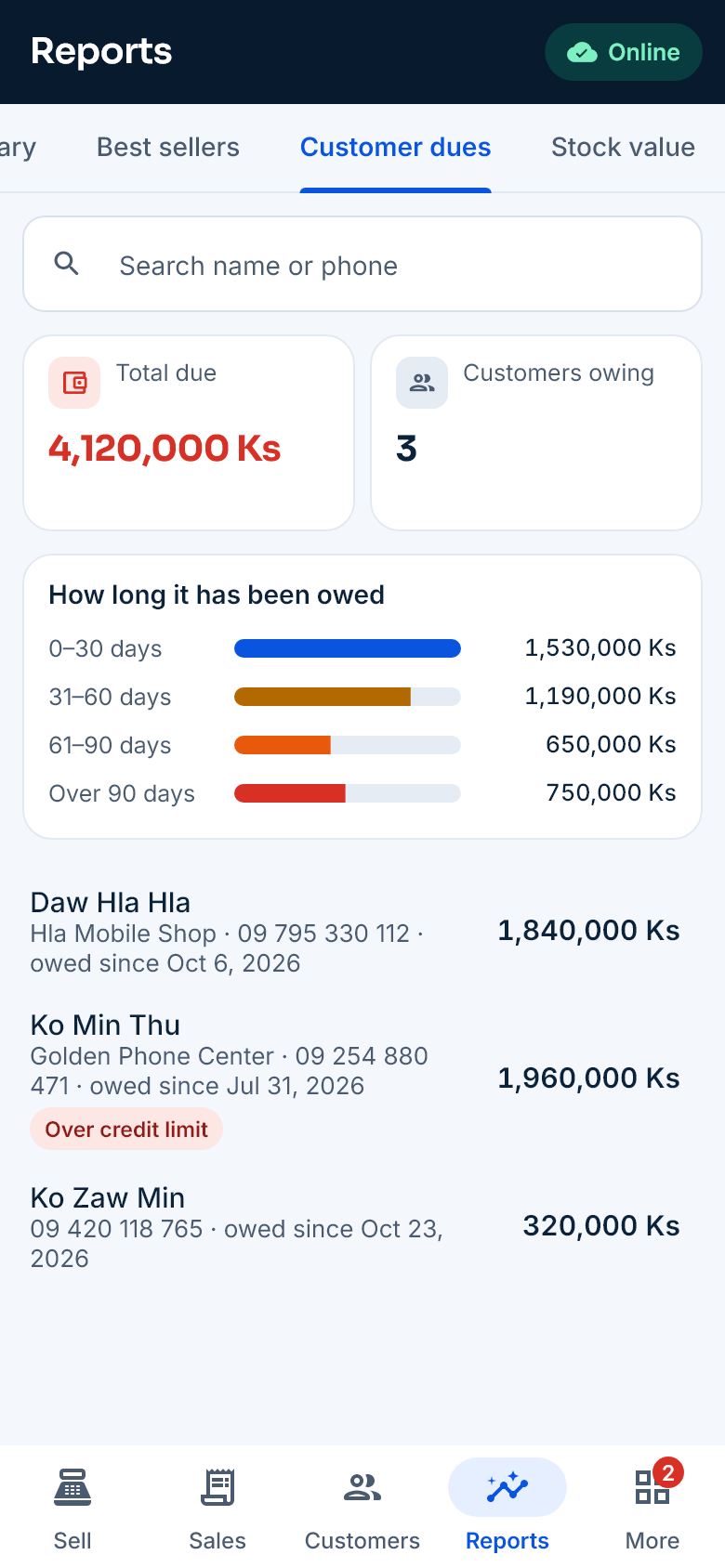
Each customer’s dues, credit limit and purchase history. Collect payments and look at statements right from the phone.
- Stops credit sales over the customer’s limit
- Prices and discounts by customer group
Manage stock from the phone
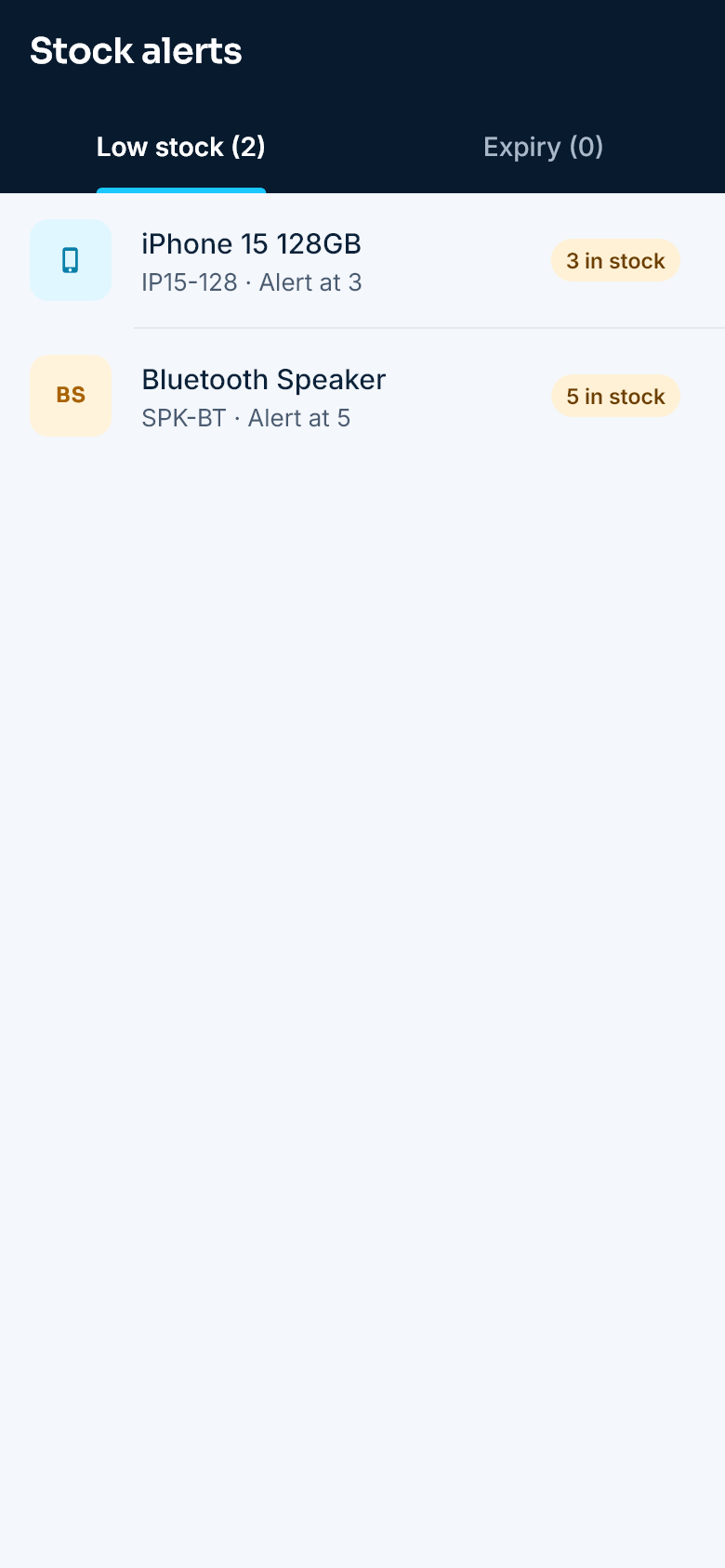
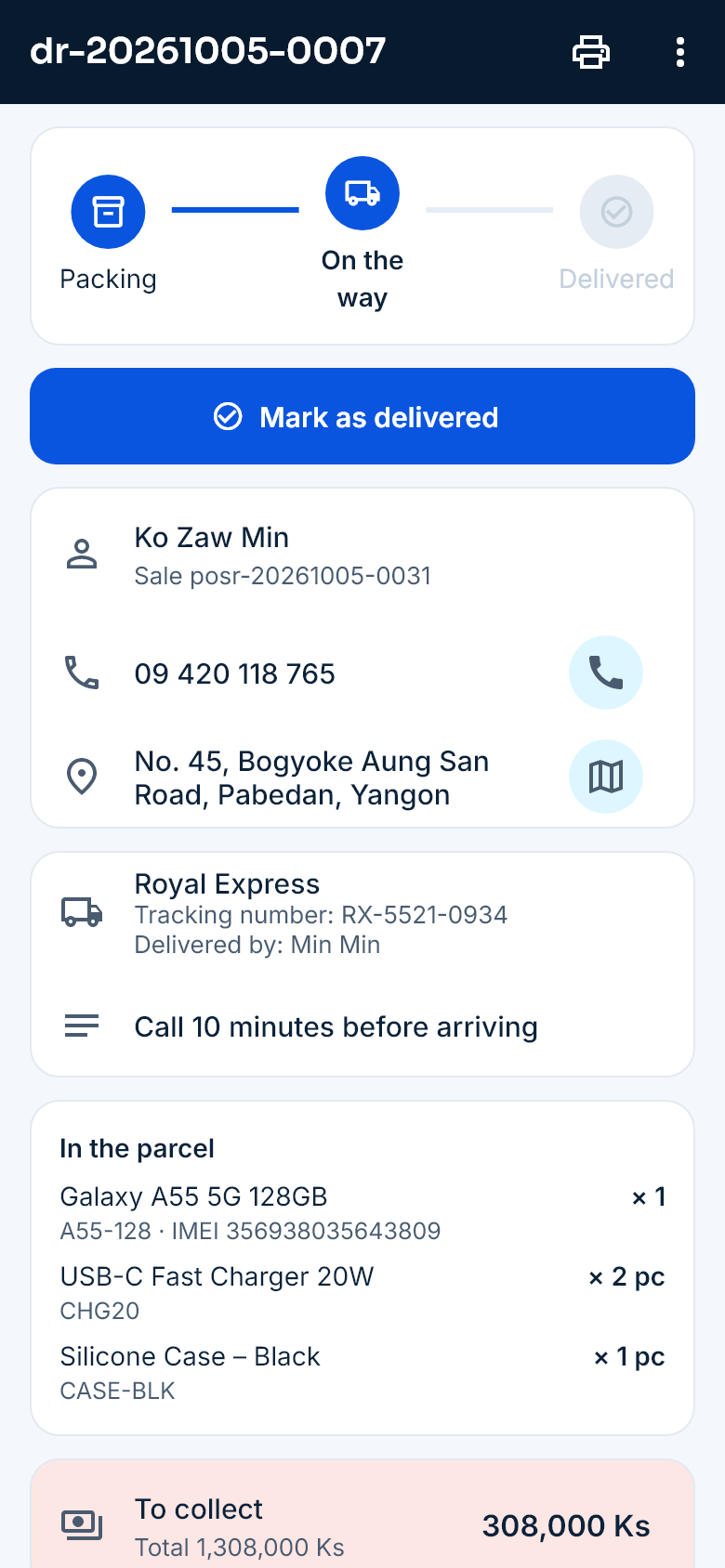
Receive stock, transfer it between branches, count and adjust it. You get an alert when stock runs low.
- Track deliveries with the courier and status
- Medicines by batch and expiry date
Profit and dues on your phone
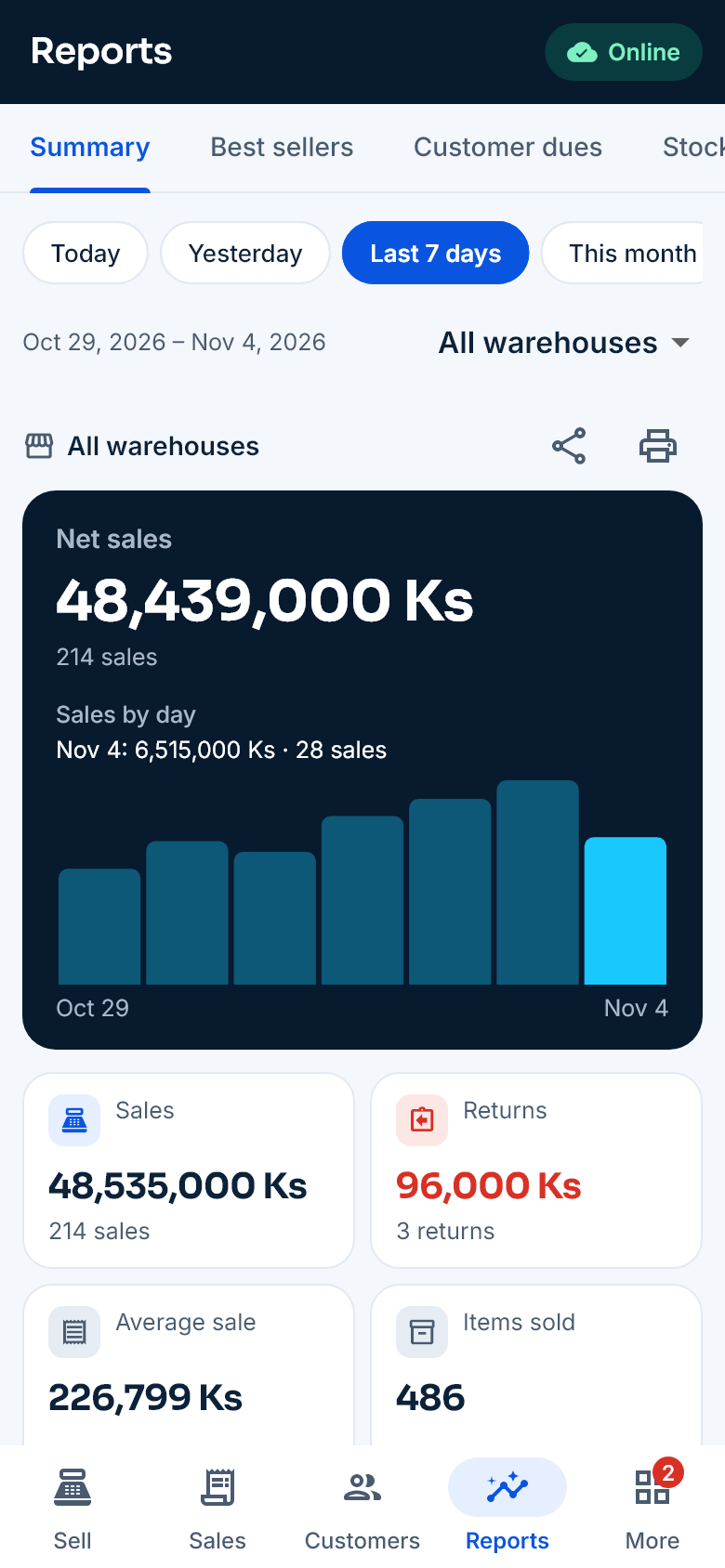
Daily sales, profit, payment methods, best sellers, dues by age and stock value — for every branch.
- Print the day’s sales summary
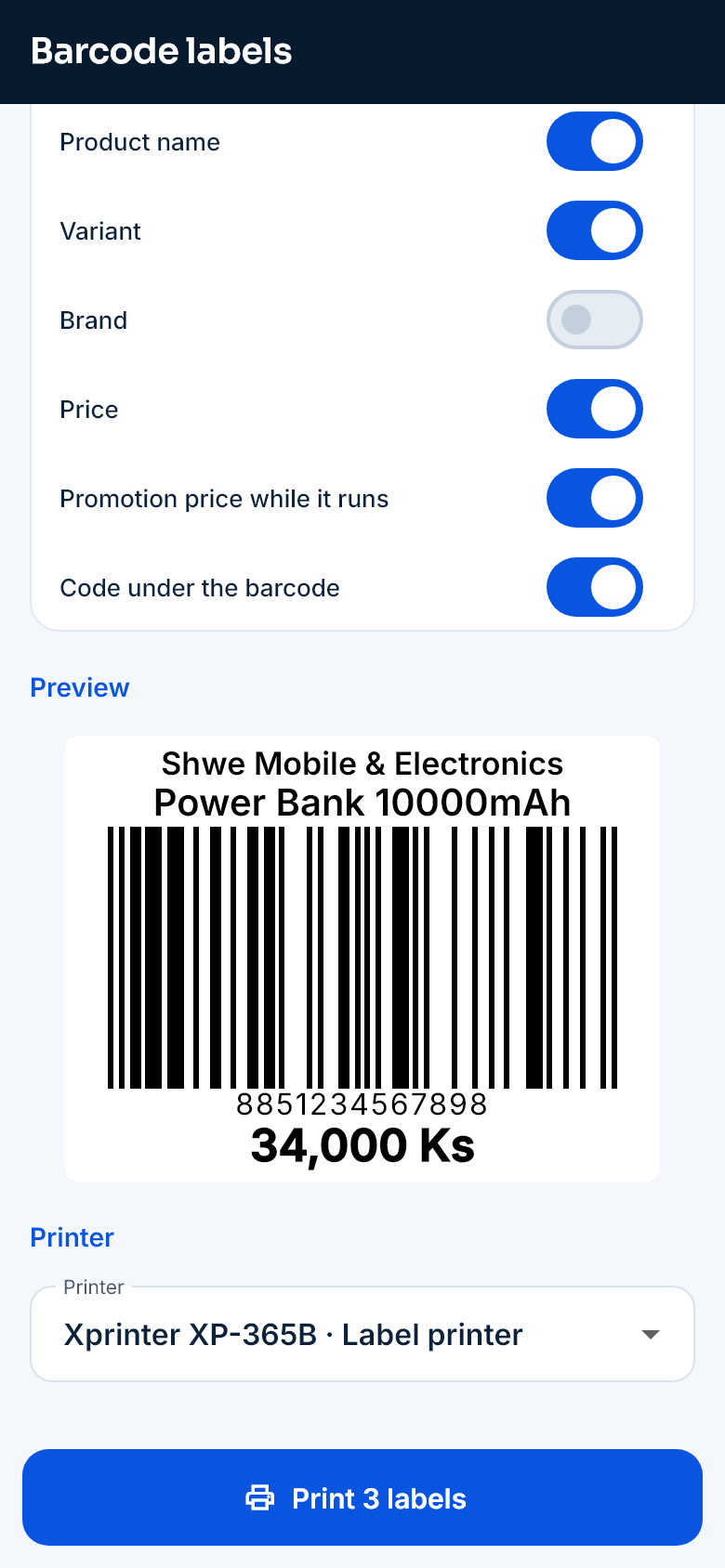
Print barcode labels in the shop
Scan a product, choose how many, and print price labels with barcodes on a label printer.
The whole business on the web dashboard
Sign in from a computer browser and run every branch. Modules depend on the plan.
Purchases and suppliers
Purchases, returns, amounts owed and your suppliers.
Branches and warehouses
Stock for each location, transfers, counts and adjustments.
Accounting
Expenses, income, accounts and money transfers.
Staff and payroll
Attendance, payroll and permissions by role.
Quotations and deliveries
Turn quotations into sales and keep delivery records.
Full reports
Sales, purchases, profit and loss, stock, customer and supplier reports.
Retail & Wholesale plans
Priced in kyat, with a free trial. Move up a plan as your business grows.
Frequently asked questions
How are IMEIs recorded for a phone shop?
IMEI or serial numbers are scanned in when you buy stock, and the exact phone is picked when you sell. A sold IMEI cannot be sold again from another branch.
Can I set a credit limit?
Yes. Set a credit limit for each customer and sales over it are stopped. Dues, dues by age and statements are on the phone.
How is stock managed across branches?
Each branch or warehouse keeps its own stock, and you can transfer between them. The number of branches depends on the plan.
How do I add the products I already have?
Import them all at once from a CSV file on the web dashboard. We help you when you start.
Try SyncPOS in your shop
Create your shop yourself in a few minutes and use it free for 14 days — no payment. Want a demo? Contact us.