The POS that keeps selling when the internet doesn’t.
Run the counter on an Android phone or tablet and the back office on the web — for phone shops, mini marts, pharmacies, wholesalers, restaurants and cafes. In Myanmar, English and 中文.
Free for 14 days · no payment · your shop is ready in minutes
- Sells offline
- IMEI & serial numbers
- မြန်မာ · English · 中文
- Bluetooth · Sunmi · Wi‑Fi printers
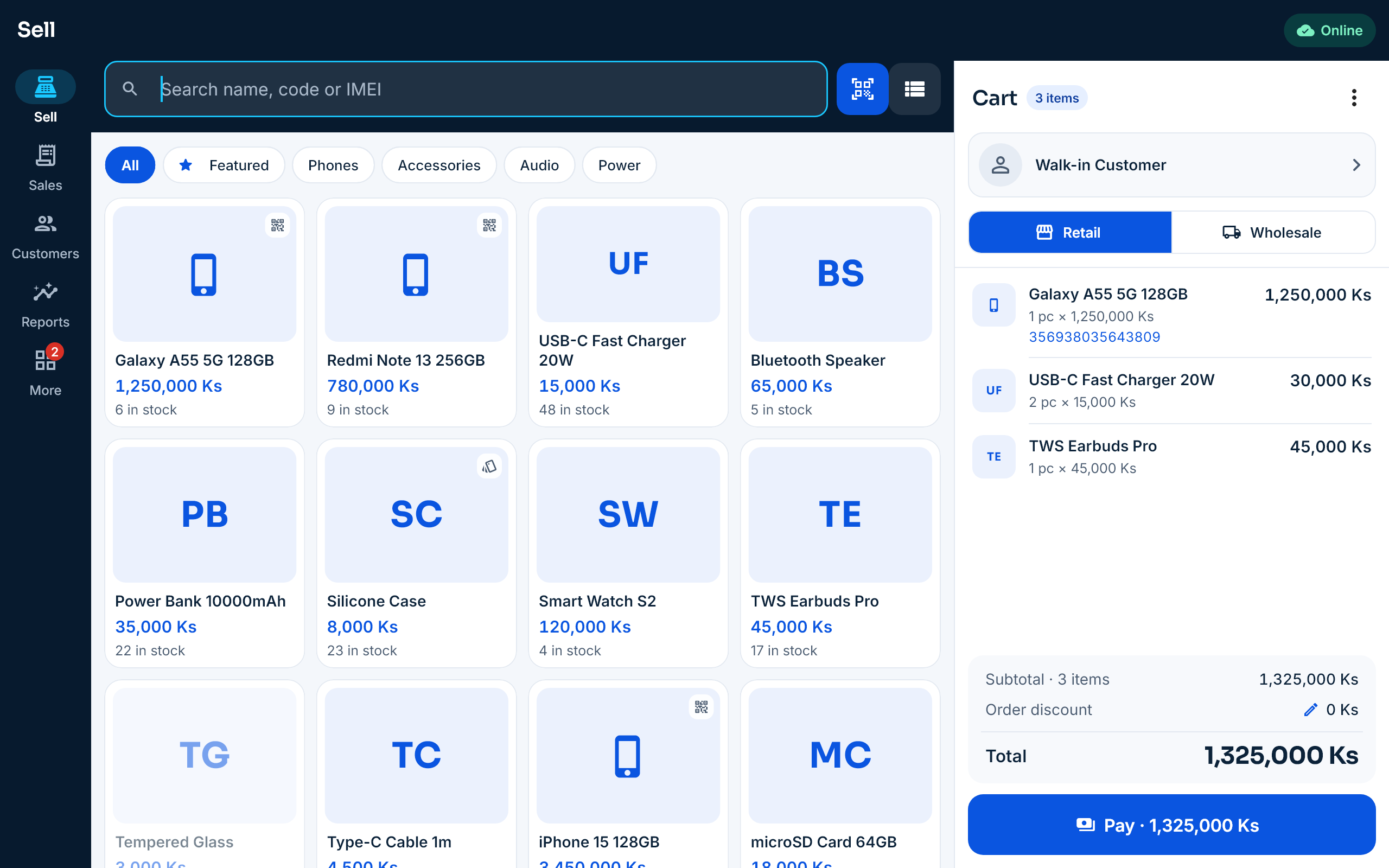
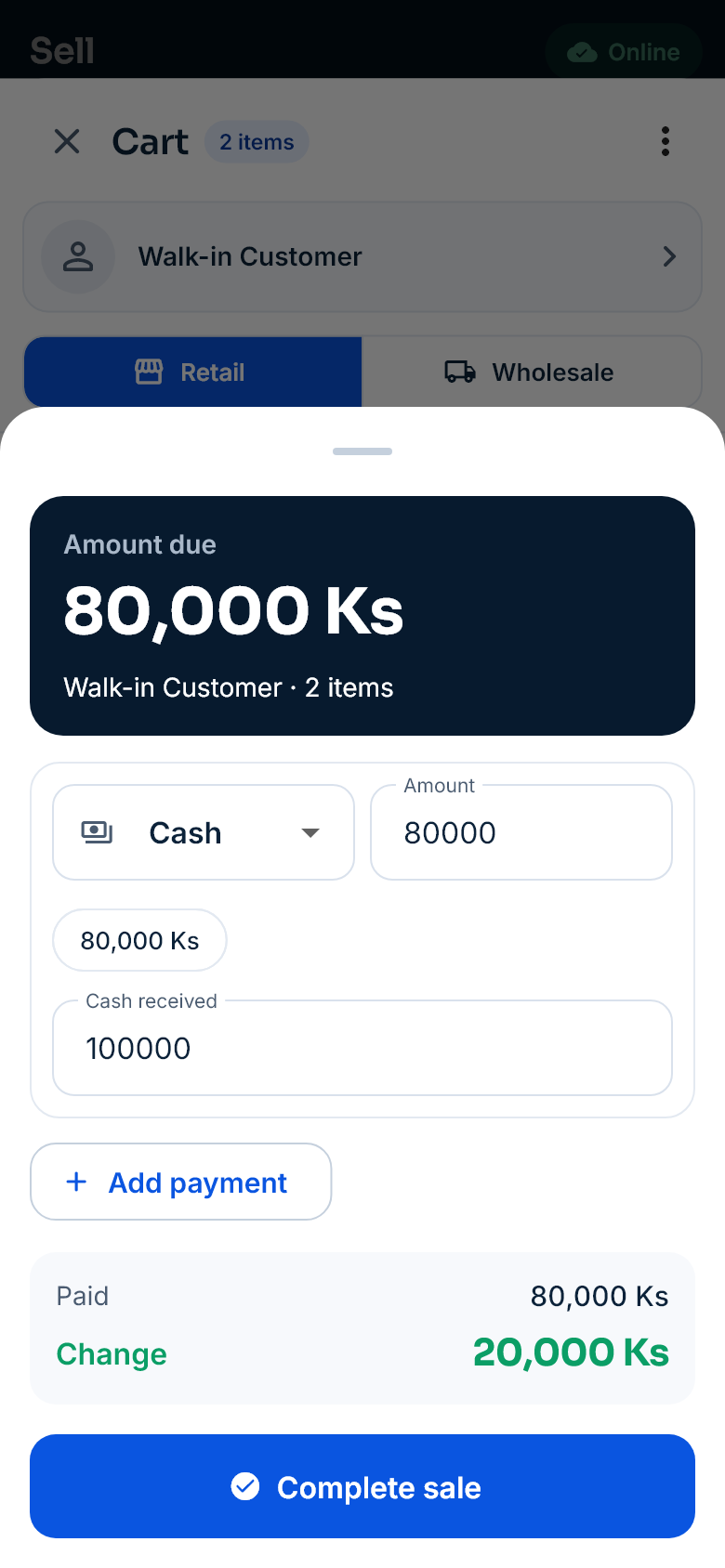
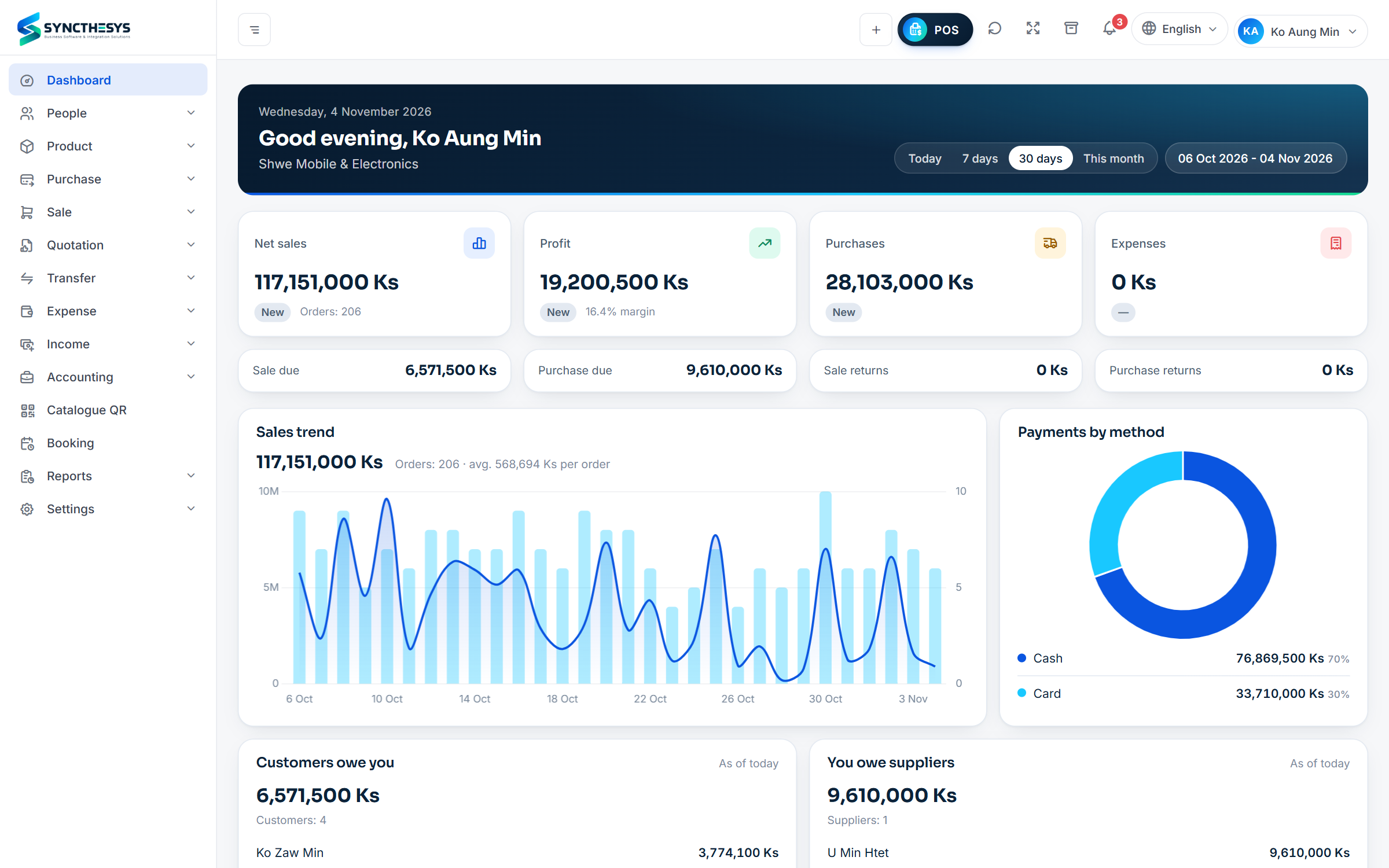
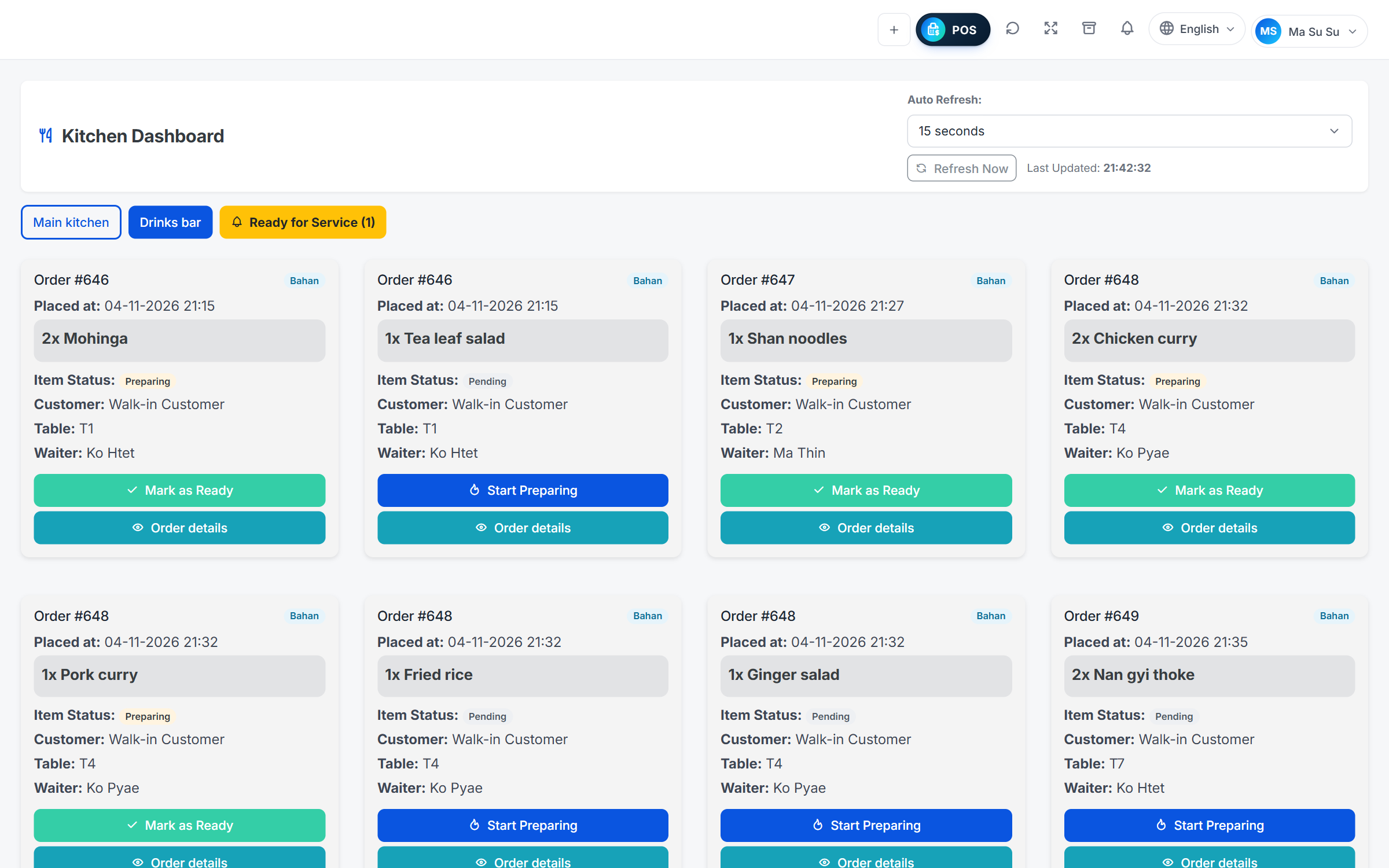
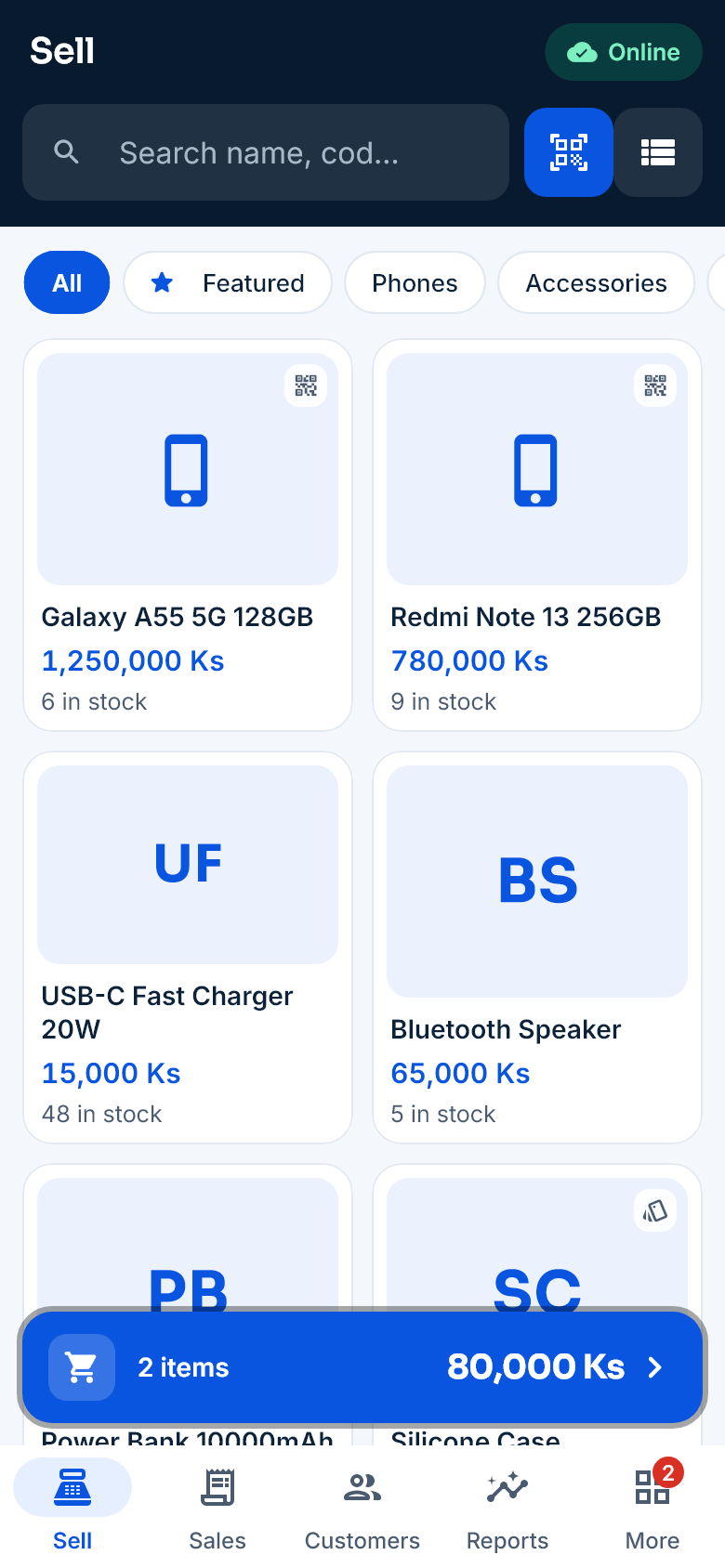
Every screen on this site is drawn by the SyncPOS app itself, with sample shop data.
Two apps, one web dashboard
Two products for two kinds of business — stock, reports and the web dashboard connected in one place.
SyncPOS Retail & Wholesale
For phone and electronics shops, mini marts, pharmacies and distributors.
- Retail and wholesale prices, prices by customer group
- Phones bought and sold one by one by IMEI; batches and expiry dates
- Credit sales, dues and statements
- Stock transfers between branches and stock counts
SyncPOS Restaurant
For restaurants, cafes, tea shops and beer stations.
- Every table at a glance; move and merge tables
- Kitchen tickets to each station’s printer
- Waiter phones, kitchen screen, guest QR ordering
- Works on the shop’s Wi‑Fi without internet
Built for how shops run here
Built for how business works in Myanmar — power cuts, patchy internet, credit sales and three languages.
Keeps selling when the internet drops
Sales are saved on the device first and sent automatically when the connection is back — recorded once, never twice.
မြန်မာ · English · 中文
Each cashier picks their language, and receipts print Myanmar and Chinese text correctly.
IMEI, serial numbers, batches
Track every phone by its IMEI, and medicines by batch and expiry date.
Wholesale and credit
Wholesale prices, a credit limit for each customer, collecting payments and statements.
Works with the printers you have
Bluetooth, Wi‑Fi and USB receipt printers, Sunmi devices and barcode label printers.
Reports on your phone
Sales, profit, dues and stock value for every branch, from anywhere.
What the cashier sees
Who uses SyncPOS
From a single counter to a business with many branches.
- Phones & electronicsIMEI and warranty
- Mini marts & groceryFast barcode selling
- PharmaciesBatches and expiry dates
- Wholesale & distributionWholesale prices and credit
- Cosmetics & fashionColours and sizes
- Multi-branch businessesStock transfers, central reports
- RestaurantsTables and kitchen
- Cafes & tea shopsQuick takeaway numbers
Monthly, in kyat
Priced in kyat, with a free trial. Move up a plan as your business grows.
SyncPOS Retail & Wholesale
Retail Standard · Retail Pro · Retail Customize
Start in three steps
Create your shop
Pick retail/wholesale or restaurant and a plan, then confirm the code we email you — your shop is ready in minutes.
Add your products
Import products from a spreadsheet (CSV); we help you connect your printers.
Start selling
Add your staff and sell from phones, tablets or computers. After the 14 days, keep going on the plan you like.
Custom software
Syncthesys also builds websites, mobile apps and integrations between systems.
Frequently asked questions
Can I sell without the internet?
Yes. The Android app keeps products, stock, prices and customers on the phone and sends sales automatically when the internet is back. The restaurant app works on the shop’s Wi‑Fi without internet.
Which devices can I use?
Android phones and tablets, POS devices such as Sunmi, and a web browser on a computer. Bluetooth, Wi‑Fi and USB printers and barcode scanners connect too.
Do receipts print Myanmar text correctly?
Yes. Receipts are drawn as a picture and then printed, so the printer needs no Myanmar font.
Is my data safe?
Each shop’s data is kept in its own database, and you decide what each staff role can see and do.
Is there a free trial?
Yes. Create your shop yourself at pos.syncthesys.com/signup and use it free for 14 days — no payment. What you enter during the trial stays when you subscribe.
What do I need to start a trial?
Just an email address and a phone number. Sign up, enter the code we email you, then sign in with your company code, username and password — on the web or in the Android app.
Can I change plans later?
Yes. Move up a plan when you add branches, staff or products; all your data stays.
I have a shop and a restaurant. Can I use both?
Yes. Each branch can be a shop or a restaurant, with stock and reports in one place. Talk to us about the right plan.
Try SyncPOS in your shop
Create your shop yourself in a few minutes and use it free for 14 days — no payment. Want a demo? Contact us.
Contact us
Questions, a demo, or custom software? Send us a message and we'll get back to you.